


Customization
.png?table=block&id=1a62701f-826d-80a0-a6da-db4ae4d2e884&spaceId=a29d0ad0-5c40-46dc-afd9-2ba0cc23a350&width=1200&cache=v2)
Player Profile Customization
The Player Profile system in Sipher Odyssey allows players to personalize their in-game identity through various cosmetic elements that showcase achievements and personal style without affecting gameplay mechanics.
Available Customization Types
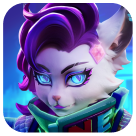
Avatar
Serves as your profile picture throughout the game
Displayed in chat, leaderboards, and guild interactions
Can represent characters, creatures, or special event themes
Avatar Frame
Decorative border surrounding your Avatar
Indicates achievements, participation in events, or special status
Varies from simple designs to elaborate animated frames

Untitled
Flag
Background element displayed behind characters on home and party screens
Represents allegiance, accomplishments, or personal aesthetic preference
Visible to other players during co-op play and social interactions
Acquisition Methods
Cosmetic items can be unlocked through various activities:
Competitive Achievements
Reaching specific rankings on any Leaderboard
Placing in Tournament Leaderboard positions
Participating in seasonal competitive events
Gameplay Progression
Completing specific Achievements
Unlocking milestone dungeons (e.g., clearing Dopamis 10 on Normal difficulty)
Collecting specific Vessels (e.g., acquiring your first INU CANIS)
Seasonal Content
Advancing through Season Pass tiers
Completing limited-time Event Missions
Participating in holiday or special celebration events
Shops and Rewards
Purchasing with Tournament currency from Tournament Shop
Acquiring from Event Shops during special events
Receiving as gifts through the Mail Box system
COSMETIC ITEMS

Untitled
Permanence
Once unlocked, cosmetics remain in your collection permanently
Unlocked items cannot be lost, sold, or traded away
Display Status
Unlocked cosmetics appear in full color in the Player Profile
Locked cosmetics appear in grayscale/B&W with unlock conditions displayed
Accessibility
All player accounts have access to the same collection of potential cosmetics
Cosmetic items cannot be traded on the Marketplace
Notable Cosmetic Examples
Customization Management
Accessing the System
Navigate to the Player Profile section from the main menu
Select "Customize" to view and manage all cosmetic items
Equipping Items
Tap on any unlocked cosmetic to preview it
Select "Equip" to apply the chosen item
Changes are visible immediately across all game modes
Tracking Progress
Locked cosmetics display their unlock requirements
Progress toward cosmetic-related achievements can be tracked
Special event cosmetics indicate their limited availability period
Strategic Customization
Showcasing Achievements
Use rare cosmetics to demonstrate your accomplishments
Mix and match items to create a unique profile appearance
Seasonal customization items can showcase your veteran status
Community Recognition
Certain cosmetics instantly identify participation in major events
Top-ranking cosmetics highlight competitive achievements
Guild-specific cosmetics demonstrate allegiance and teamwork
[Last Updated: February 26, 2025]